Features
QR Table Ordering
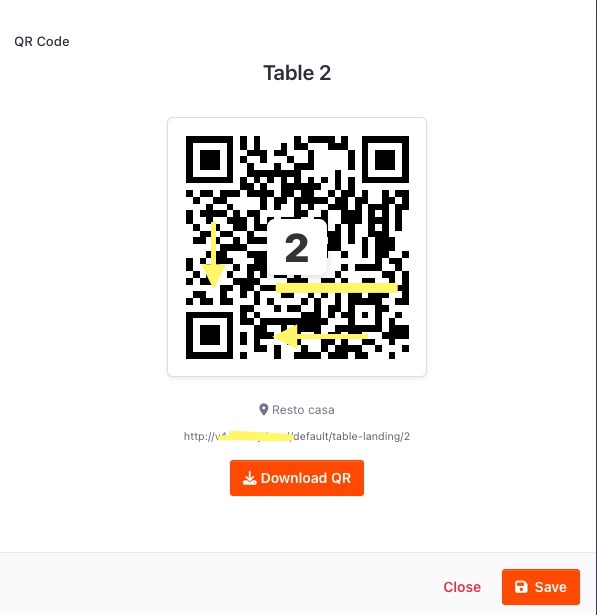
Customers scan a QR code at the table and are routed into the table-order flow. The extension stores the scanned table in the session, switches the location order type to table-order, and sends the customer to the menu with the table already selected.
Optional Table Confirmation Page
Restaurants can choose whether a QR scan opens a confirmation page first or sends the customer straight to the menu.
Show a confirmation step before the menu
Allow the customer to choose a different table when table locking is off
Lock the order to the scanned table when table locking is on
Keep the table number consistent through checkout and admin order views
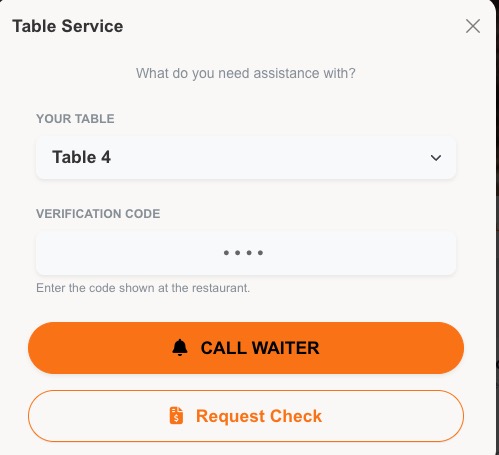
Call Waiter and Request Check
The table landing page can show service buttons for:
Call a Waiter
Request the Check
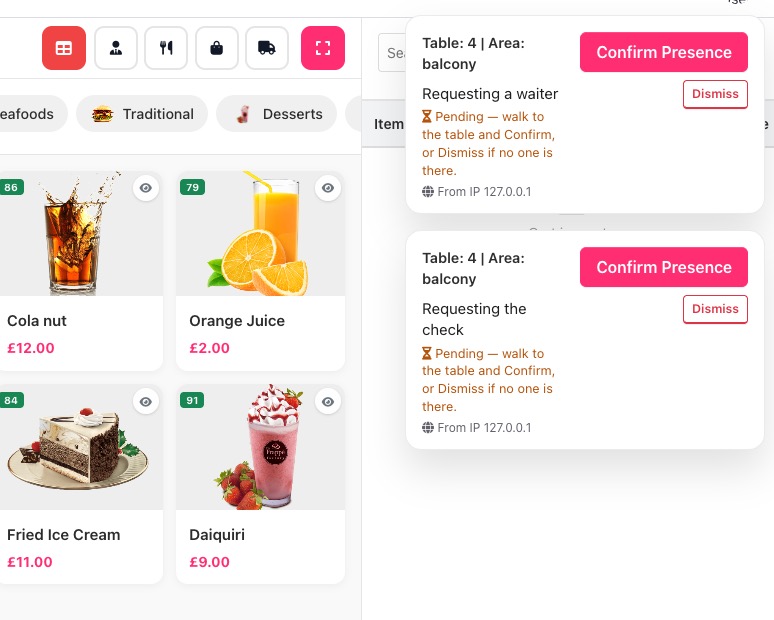
Requests are stored with location, table, dining area, IP address, type, and status. Staff can complete, confirm, or dismiss requests from the admin notification actions.
Staff Notifications
Pending waiter/check requests can appear as persistent admin notifications until staff act on them. Restaurants can select which staff groups receive request notifications, or leave the setting empty for all admin users.
Anti-Spoofing Verification
The extension includes three verification modes that can be enabled independently:
Mode Purpose
GPS location check NOT 100% accurate due to the browser location.
Requires the customer’s browser location to be within the configured distance from the restaurant
Waiter confirmation
Creates requests as pending verification until staff physically confirm the customer is present
Table code
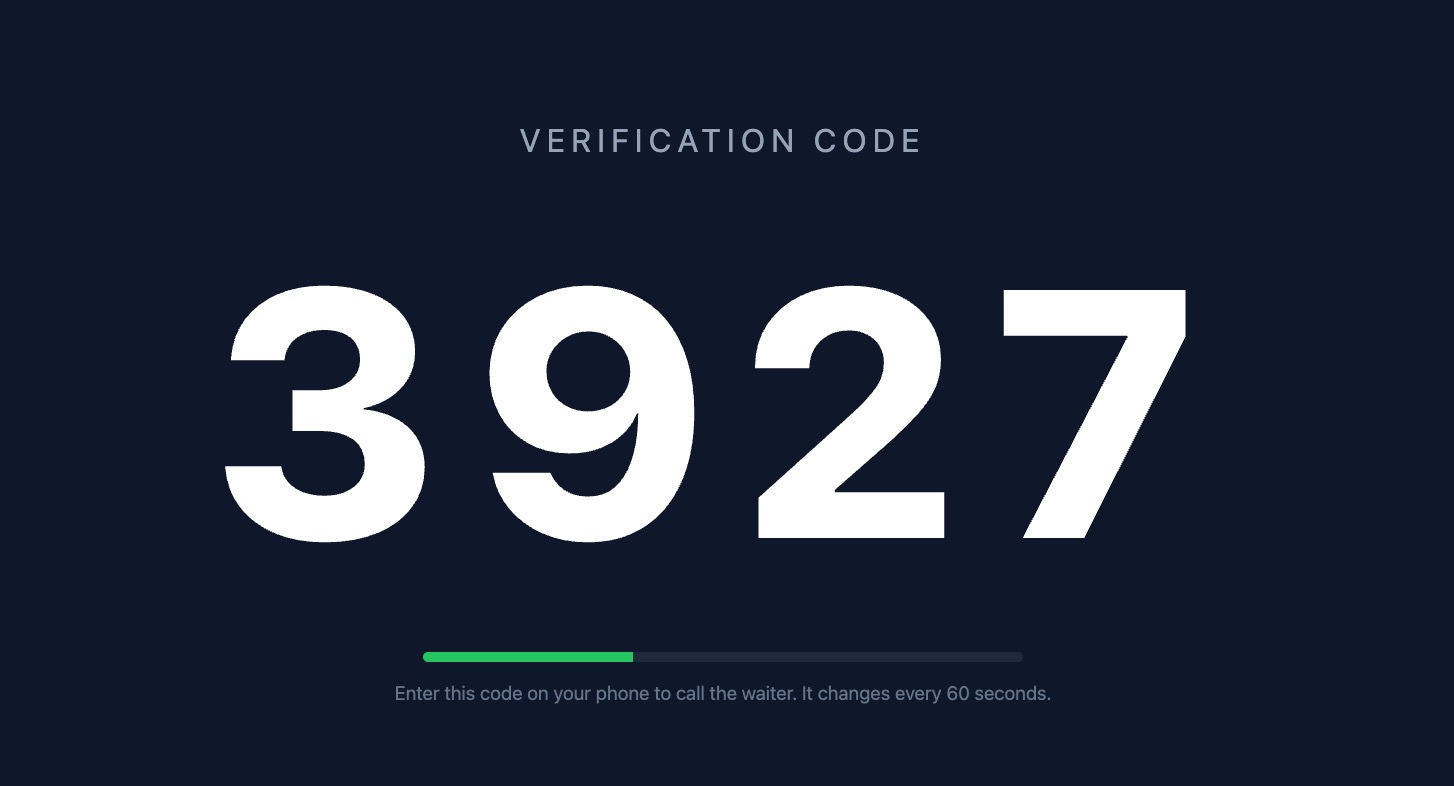
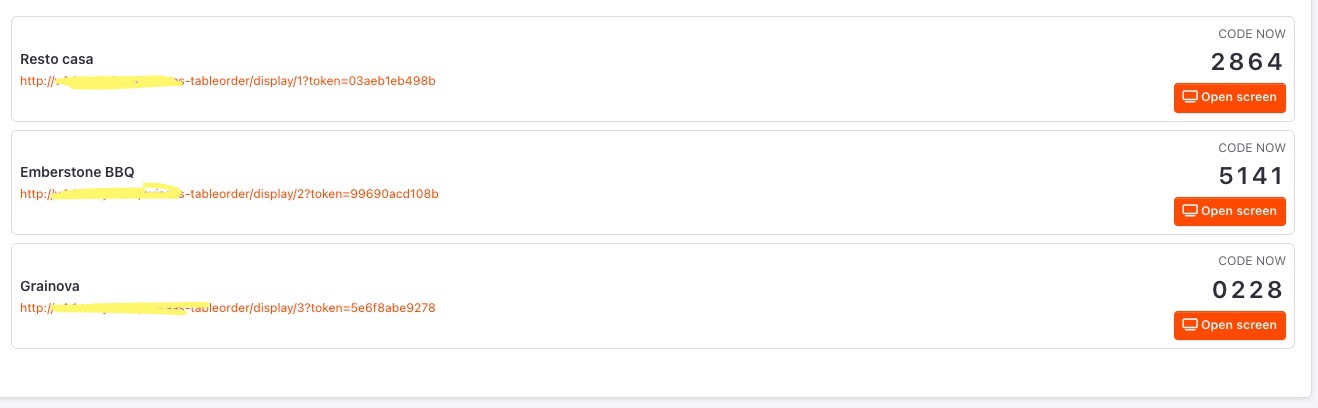
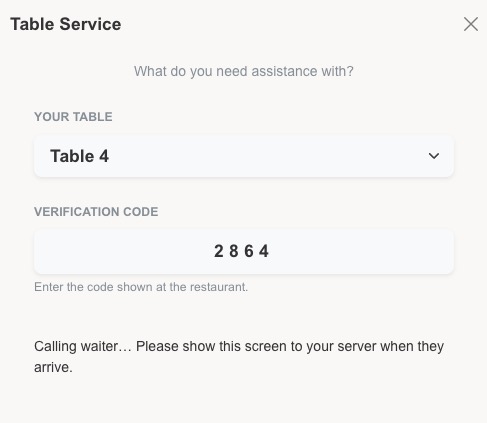
Requires a 4-digit code shown at the restaurant before the customer can call staff or request the check
The table code can be a rotating per-minute code shown on a display screen, or a manual code written on a board.
Per-Location Settings
Table Ordering can be enabled per location, with location-level options for table locking, landing page behavior, waiter/check availability, and verification.
Screenshots